Resource Monitoring
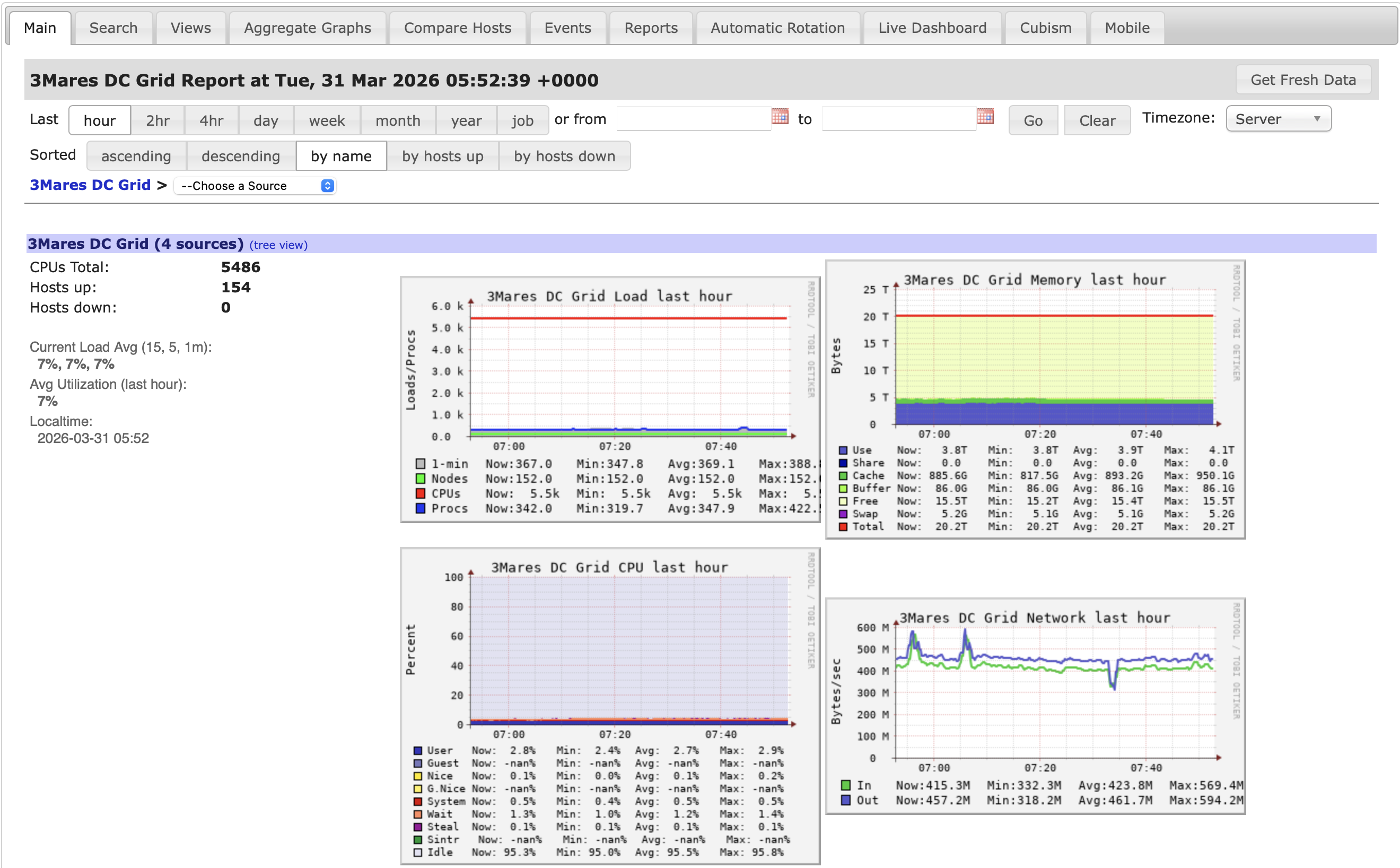
The SCI-uc infrastructure provides a monitoring platform based on Ganglia Monitor. It allows users to view and analyze computational resource usage across the available clusters.
Open the monitoring platform.
Access
The monitoring platform does not require authentication.
It is accessible only through the UC VPN or from a device connected to the university’s wired network. If you are connecting from outside the university as UC user, see the Conexión Segura desde fuera de UNICAN (VPN) | Servicio de Informática page for instructions on connecting to the VPN.
Each research group has a dedicated monitoring view. To open it, add the group name registered in the URS (User Registration System) to the URL.
For example: https://monitor.sci.unican.es/geocean
Users can view only the clusters and resources associated with their research group.
Available Metrics
The platform provides near-real-time and historical metrics for the clusters and resources assigned to your group. These include:
- CPU usage and load, to see how heavily nodes are being used and compare activity across the cluster.
- Memory consumption, to identify high memory use and review how it changes over time.
- Disk usage and I/O activity, to monitor storage use and disk activity.
- Network traffic, to observe traffic levels and changes over time.
- Node availability and status, to check which nodes are available and review their reported status.
Usage Scope
Each research group has access to a dedicated view of the infrastructure, enabling its members to:
- Monitor activity across their assigned clusters and nodes.
- Track CPU, memory, disk, and network utilization over time.
- Compare resource usage and node status to identify potential bottlenecks or inefficiencies.
- Use historical metrics to support performance analysis for ongoing projects.
Notes
- The monitoring system is intended for informational and analytical purposes only.
- No authentication is required; access is determined by the group-specific URL described above.
- Users must connect through the UC VPN or from the university’s wired network. For VPN instructions, see the Conexión Segura desde fuera de UNICAN (VPN) | Servicio de Informática page.
- If you experience issues accessing the platform or need more information, contact the support team at soporte.sci@unican.es.