Scientific Computing Service (SCI-uc)
Servicio de Computación Avanzada para la Investigación · University of Cantabria
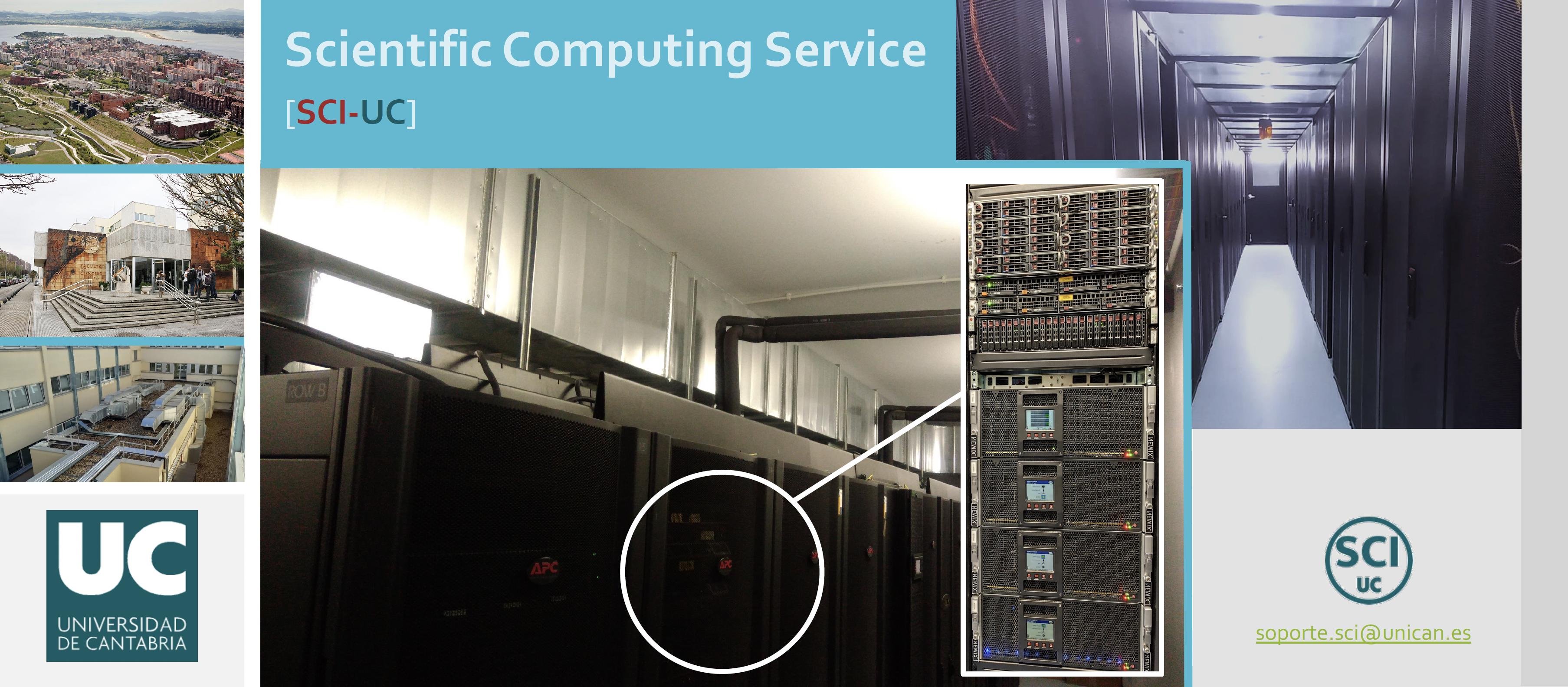
The Scientific Computing Service (SCI-uc) at the University of Cantabria provides advanced computing infrastructure and technical support to university research groups, research organizations, and companies involved in research and innovation. It supports research computing throughout the project lifecycle, from infrastructure planning and deployment to operations, software environments, resource management, and technical assistance, enabling effective use of HPC and HTC resources.
SCI-uc provides computing resources through Hosting, using equipment owned and operated by the service, and Housing, using equipment owned by research groups with operational responsibilities determined by the selected modality.
How the Service Works
In Hosting, SCI-uc owns and operates the equipment, making it available to researchers without requiring them to acquire or administer their own hardware.
In Housing, the equipment belongs to the research group, and the selected modality defines how it is integrated and operated:
- Type A (fully managed by SCI-uc) is the standard modality. SCI-uc operates the group's equipment in coordination with the group and integrates it, as applicable, with shared services such as storage, networking, job scheduling, and centralized identity and user management. SCI-uc can support the equipment lifecycle, from planning and installation through maintenance and upgrades.
- Type B (independently managed by the group) keeps the equipment outside SCI-uc's common management services. The group supplies the technical staff and is responsible for system administration, software, security, user access, maintenance, and data. SCI-uc provides data-center space, power, cooling, and network connectivity, but does not assume operational or security responsibility for the equipment.
For the full description of these service models, see How the Service Works on the SCI-uc website. Practical access instructions and user guides are available in this documentation.
This documentation focuses on practical access and use. For cluster equipment, resource specifications, software, storage policies, and service procedures, use the guides linked as follow; these pages are maintained in their respective sections so operational details can be updated independently of this introduction.
For help with access, resources, or technical issues, contact soporte.sci@unican.es or consult the support channels.
Get Started
| Task | Documentation |
|---|---|
| Request an account and connect to the clusters | Request access · Connection guide |
| Find partitions and run compute jobs | Partitions · Slurm user guide · MPI jobs |
| Find and manage software | Software Management |
| Choose storage or transfer data | Storage · Data transfer service |
| Monitor resources or get help | Resource monitoring · Support channels |
Research Groups and Collaborating Organizations
The following list shows the research groups and collaborating organizations, together with their respective departments, that are integrated into the SCI-uc service as of January 2026:
Department of Computer Science and Electronics
- Computer Engineering Group (CE)
- Computer Architecture and Technology Group (ATC)
- Software and Real-Time Engineering Group (ISTR)
Department of Earth Sciences and Condensed Matter Physics (CITIMAC)
Department of Water Science and Environmental Engineering
Department of Applied Mathematics and Computational Sciences
Department of Applied Physics
Department of Economics
Department of Geography, Urban Planning and Spatial Planning
Department of Mathematics, Statistics and Computing
- Algorithmic Mathematics and Cryptography Group (GAMAC)
- Mathematics and Computing Group: Foundations, Learning and Artificial Intelligence (MCFLY)
Department of Ground and Materials Science and Engineering (DCITYM)
Institute of Physics of Cantabria (IFCA, SCIC)
Other entities
Infrastructure and Software Overview
(**) The infrastructure and software information below is current as of January 2026.
3Mares Data Center
80 m2, divided into two work areas:
- Assembly area for equipment assembly and repair.
- Operations area ("cold" room) with a CUBO AP system by Schneider Electric.
- 23 IT racks.
- Four cooling racks (InROWs) and a free-cooling system, with up to 120 kW of cooling power (70 kW free cooling).
- Three power racks (UPS and PDUs), with up to 320 kW of electrical power.
Compute hardware
Advanced Computing Servers
- Advanced computing clusters support research groups (Housing) and the service (Hosting), with more than 90 compute working nodes, more than 4,600 cores, and more than 15 TB RAM.
- The inventories include systems from Intel Xeon Westmere to Emerald Rapids and AMD EPYC Zen4/Zen5, as well as two GPU nodes with two NVIDIA Quadro RTX 4000 GPUs.
Node and partition specifications are available in the SLURM resource reference.
Networking
- 1/10 Gbps Ethernet networks and 200 Gbps HPC InfiniBand interconnects.
Storage
- Lustre filesystem: more than 1.2 PB of high-performance remote storage.
- NFS filesystem: more than 80 TB of remote home storage.
- Local scratch (SSD/SATA): more than 100 TB.
- NAS servers: two units with 46 TB and 64 TB for backups.
Compute software
Operating Systems
The infrastructure includes Rocky Linux 8.10 and 9.6; operating systems can vary by cluster and node.
HPC Software Environment
HPC software supports the service goals of simplifying access to the infrastructure and software environment. Availability varies by cluster and partition.
- Slurm v24.11.3 for job scheduling.
- Spack v0.23.0 and Lmod v8.7.65 for centrally maintained and group- or user-managed software, including GCC, Intel oneAPI, OpenMPI, Intel MPI, OpenBLAS, MKL, and HDF5 modules.
- EESSI/2025.06, an additional software source distributed through CVMFS and exposed with Lmod on enabled nodes; it complements Spack rather than replacing it.
Infrastructure Management
- Infrastructure management includes XCP-ng and Xen Orchestra (XOA) and Docker.
- Monitoring is provided by Ganglia Monitor and Nagios Core.
- The environment uses server virtualization and open-source software, and is continuously developed and updated for research needs.
For module availability and usage, see Software Management, the Spack module reference, and the EESSI user guide.